
Advent calendar #14: Monitoring student engagement in Moodle
December 14, 2021
Santa is rumoured to be able to keep track on what we’re all doing so he knows whether we deserve our presents. If he knew about it, he’d be delighted with the possibilities for tracking activity in Moodle. Today we are going to talk about tips and tricks to monitor student activity in Moodle. You …
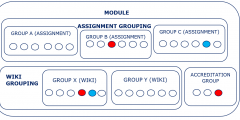
Advent Calendar #10: Groupings in Moodle
December 10, 2021
Getting together is traditional at this time of year, and getting together in groups is also used a lot in learning activities. Groups can be so useful in Moodle. They can be used for group activities such as: Assignments submitted one per group (e.g. presentation) Working together in a group e.g., in a forum or …

Advent calendar #9: Christmas Mix and Match – Memory Games in Moodle
December 9, 2021
WARNING – This blog post contains Christmas puns and jingle bells. Oh deer! This year, the Moodle upgrade gifted us with H5P. H5P offers a range of different activities you can add to your Moodle page to engage students. One of them is a Memory Game. To snow off what you can do with the …

Advent calendar #5: Avoiding plagiarism this essay season
December 5, 2021
“Tis the season to be jolly” for some students but for others it’s the season for taking exams – or submitting coursework. Plagiarism is when a learner takes someone else’s work and tries to pass it off as their own. It might seem like a gift at first, as it might seem easier and quicker …
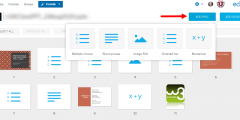
Advent calendar #4: Ways to poll your students
December 4, 2021
Polls and simple quizzes can be used during synchronous sessions (face to face or online) and also asynchronously to support learning by: identifying gaps in learners’ understanding, providing a simple way of actively engaging students in their learning, a minimal form of feedback, stimulate conversation, establish a baseline understanding or opinion that you can then …

Advent calendar #3: Have you thought about using Moodle Quiz?
December 3, 2021
Moodle quiz can help you engage students with different kinds of formative quiz questions. The Learning Technology team have guides to help you set up quizzes and we are also running some new training sessions. Read on … What? There are many different question types to choose from including basic true/false, multiple choice, multiple selection, …

Advent Calendar #1: A festive use for H5P
December 1, 2021
In our most recent Moodle upgrade we installed H5P. This is an alternative to Xerte Toolkits for creating small interactive items within the Moodle page. You can create, edit and re-use interactive content (e.g. multiple choice quizzes or virtual tours). These can be added as graded activities on your Moodle module or non-graded embedded elements …
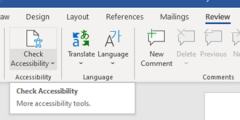
How can I ensure content in my Moodle modules and Microsoft Documents is accessible?
November 22, 2021
To ensure content in your Moodle modules and Microsoft Documents is accessible to all, you can use accessibility checkers. What do accessibility checkers do? Accessibility checkers check automatically for some common errors in the text. These usually relate to the way the text is constructed. They can prevent all users from having equal access to information and functionality. Accessibility …
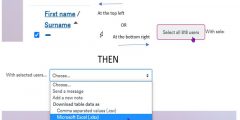
Tip of the Day. Ways to contact students (as an alternative to Moodle emails)
October 22, 2021
As you might imagine there has been a huge increase in the use of Moodle over the past couple of years. This sometimes shows up areas we need to improve. As of October 2021, we have seen issues with sending out emails from Moodle Announcements and Forums (incident details are reported here on the status …
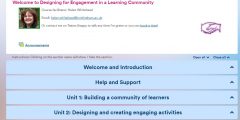
Moodle quick wins #1: Collapsed topics
October 18, 2021
The Collapsed Topics format is an easy way to avoid the “Scroll of Death” on your Moodle page. The topics look tidy, clear, and easy to navigate. Accessibility is much improved because it’s easier for screen readers to find a section without having to read out all section contents. As a format for a Moodle …
About this blog
iTeach Online Podcast

You can subscribe and listen to the iTeach Online Podcast on Spotify (or wherever you get your podcasts). New episode to re-launch the podcast, covering the upcomming digital accessibility conference 2024, available now.
 Follow the Learning Technology section on X/Twitter
Recent Comments