
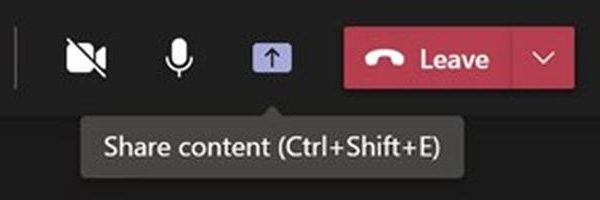
Screen Sharing Options available to the presenter during a Microsoft Teams Meeting
March 18, 2022
How often in a Teams meeting have you said “Can you see my screen?” over the past couple of years? I am guessing a lot. However, are you aware of all the options available when you click on the Share icon in a Teams meeting? If not, you will be by the end of this …
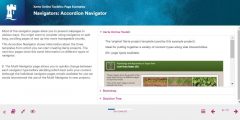
Starting out with Xerte Online Toolkits: new URL
January 10, 2022
Xerte Online Toolkits is an Open Source content creation tool that allows non-technical users such as academic staff to quickly and easily build rich, interactive and engaging online learning resources. It has high levels of accessibility already built in. If we can describe Microsoft PowerPoint as a specialist program for creating presentations to deliver live …

Advent Calendar #24: Father Christmas!
December 24, 2021
And what else on our last day of the Advent Calendar – Christmas is here, and with it the man himself. Can you tell which of our team is disguised as Santa? Advent Calendar 2021 #23: Take a break and complete the Learning Technologies Crossword #22: A Xerte Toolkits-based game to play at Christmas #21: …

Advent calendar #20: The Future of Hybrid Teaching and Learning in HE (Workshop)
December 20, 2021
As the end of the year comes closer, we often reflect on the year that’s gone and make resolutions to improve or change in the year to come. Here’s a timely conference for anyone who’s thinking about moving on from blended or hybrid learning during the pandemic to see what the future looks like. You …
Advent Calendar #17: Digital Drop-in
December 17, 2021
Yesterday when talking about the help offered to staff by Learning Technologies, we mentioned the Digital Drop-In for staff. The staff Digital Drop-in Microsoft Team was created in March 2020 to replace the face-to-face Drop in, which ran in E06 in the Monica Partridge building. Here staff have been able to ask the team for …

Advent Calendar #16: Where to get help and what to do when something goes wrong
December 16, 2021
Today in the Advent Calendar we’re hoping to give you peace of mind. What do you do when it all starts to go wrong? When you can’t make the technology do the thing you want it to, or can’t even find a technology that will do what you’d like? When you don’t know if it’s …
Advent calendar #14: Monitoring student engagement in Moodle
December 14, 2021
Santa is rumoured to be able to keep track on what we’re all doing so he knows whether we deserve our presents. If he knew about it, he’d be delighted with the possibilities for tracking activity in Moodle. Today we are going to talk about tips and tricks to monitor student activity in Moodle. You …

Advent Calendar #8: Moving files between Microsoft Teams
December 8, 2021
Today’s Advent Calendar Tip is one you might not even know you need. But if you’ve ever had to move a file from one MS Team to another MS Team, you’ll know why this is handy! You might want to move a file from one Team to another because an incorrect file was added, a …
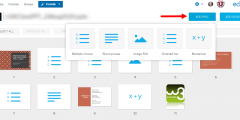
Advent calendar #4: Ways to poll your students
December 4, 2021
Polls and simple quizzes can be used during synchronous sessions (face to face or online) and also asynchronously to support learning by: identifying gaps in learners’ understanding, providing a simple way of actively engaging students in their learning, a minimal form of feedback, stimulate conversation, establish a baseline understanding or opinion that you can then …
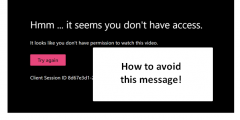
Advent calendar #2: How to make a Stream video available to students
December 2, 2021
So you’ve made a recording of yourself wishing your students a seasonal greeting. How best to share it with the students? When staff make recordings of Teams meetings and learning sessions, the recording ends up in Stream. Here’s why leaving them in Stream isn’t usually the best way to make these available to students. Normally, …
About this blog
iTeach Online Podcast

You can subscribe and listen to the iTeach Online Podcast on Spotify (or wherever you get your podcasts). New episode to re-launch the podcast, covering the upcomming digital accessibility conference 2024, available now.
 Follow the Learning Technology section on X/Twitter
Recent Comments