

Advent Calendar #6: Q&A: a new student engagement app from Microsoft
December 6, 2021
Microsoft have rolled out a new app, the Q&A app, which enables question and answer sessions to be held in Teams meetings. Meeting organizers and designated presenters can hold moderated or unmoderated question and answer sessions at any point during a Teams meeting. They are also able to mark best answers, filter responses, moderate and …
Advent calendar #4: Ways to poll your students
December 4, 2021
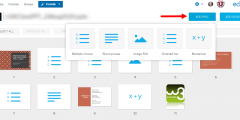
Polls and simple quizzes can be used during synchronous sessions (face to face or online) and also asynchronously to support learning by: identifying gaps in learners’ understanding, providing a simple way of actively engaging students in their learning, a minimal form of feedback, stimulate conversation, establish a baseline understanding or opinion that you can then …
Advent calendar #2: How to make a Stream video available to students
December 2, 2021
So you’ve made a recording of yourself wishing your students a seasonal greeting. How best to share it with the students? When staff make recordings of Teams meetings and learning sessions, the recording ends up in Stream. Here’s why leaving them in Stream isn’t usually the best way to make these available to students. Normally, …

Advent Calendar #1: A festive use for H5P
December 1, 2021
In our most recent Moodle upgrade we installed H5P. This is an alternative to Xerte Toolkits for creating small interactive items within the Moodle page. You can create, edit and re-use interactive content (e.g. multiple choice quizzes or virtual tours). These can be added as graded activities on your Moodle module or non-graded embedded elements …
Support with creating accessible materials
November 25, 2021
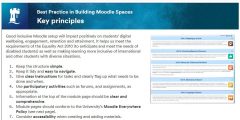
We have been made aware of a couple of external training sessions that could help in terms of meeting digital accessibility requirements. Open Educational Resources (OER) can extend the nature and type of resources available to teachers, researchers and students. This month’s free Future Teacher webinar is at 1 pm tomorrow, Friday 26th November 2021. …

Sustainability: an online activity with a waste audit
November 17, 2021
A few years ago during our MOOC “Sustainability, Society and You” and the internal University NOOC version, “Perspectives on Sustainability”, one of the exercises devised by Professor Sarah Speight was a Waste Audit. At a time when, thanks to COP26, sustainability issues are particularly topical, I was inspired to revisit this activity. During lockdown I …
Tip of the Day. Ways to contact students (as an alternative to Moodle emails)
October 22, 2021
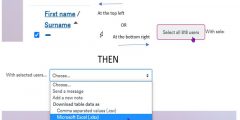
As you might imagine there has been a huge increase in the use of Moodle over the past couple of years. This sometimes shows up areas we need to improve. As of October 2021, we have seen issues with sending out emails from Moodle Announcements and Forums (incident details are reported here on the status …
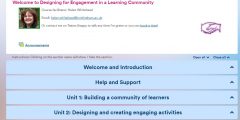
Moodle quick wins #1: Collapsed topics
October 18, 2021
The Collapsed Topics format is an easy way to avoid the “Scroll of Death” on your Moodle page. The topics look tidy, clear, and easy to navigate. Accessibility is much improved because it’s easier for screen readers to find a section without having to read out all section contents. As a format for a Moodle …
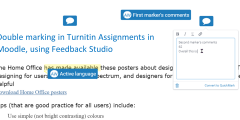
Double marking in Turnitin Assignments in Moodle, using Feedback Studio
April 12, 2021
A requirement often mentioned to the Learning Technology Consultants is for two or more markers to work on a student submission. This often includes blind double marking – where not only does the marker not see the student’s name but each marker does not see the other’s marks or feedback until finalised. Neither Moodle nor …

A Summer of Moodle #13: Training sessions to help you use Moodle and other technologies
August 28, 2020
A number of training sessions are being run by the Learning Technology Section and colleagues to help staff plan and create online learning for the new academic year. More sessions are added all the time, but currently the following are available, all of which help you use Moodle more effectively, often by linking to other systems. They …
About this blog
iTeach Online Podcast
You can subscribe and listen to the iTeach Online Podcast on Spotify (or wherever you get your podcasts). New episode to re-launch the podcast, covering the upcomming digital accessibility conference 2024, available now.
 Follow the Learning Technology section on X/Twitter
Recent Comments