
MS Teams Tip of the Day: Keyboard shortcuts
February 15, 2021
Microsoft Teams has a number of quick tricks and keyboard shortcuts: these include shortcuts for moving around Microsoft Teams, opening menus, sending messages, and starting and ending calls, and more. Even if you’re unlikely to use many of them, it can be useful to know the shortcuts for the actions you use most often. Here …

7 accessibility tips for staff who create learning resources
October 8, 2020
We occasionally get queries from staff who are struggling with the online systems that we are now using much more often and more consistently. Here are some hints and tips about Teams and Office 365 that some have found helpful: Teams 1. The Immersive Reader in Microsoft Teams enables you to hear posts and chat messages. …

Moodle improvements for all, from the University of Nottingham
September 7, 2020
Our key Moodle developer has been looking at our community plugins. By far the most popular of our plugins is Signup Sheets. Since the start of 2020 through to September 2020 we doubled the number of sites it is installed on from around 200 to 400 (we’re guessing thanks to the pandemic). It has also …

A Summer of Moodle #13: Training sessions to help you use Moodle and other technologies
August 28, 2020
A number of training sessions are being run by the Learning Technology Section and colleagues to help staff plan and create online learning for the new academic year. More sessions are added all the time, but currently the following are available, all of which help you use Moodle more effectively, often by linking to other systems. They …
A Summer of Moodle #12: Engaging students with Moodle Quizzes
August 26, 2020
The Quiz activity in Moodle allows you to design and set quizzes consisting of a large variety of question types, including multiple-choice, true / false, and short answer questions. Moodle questions that you create are kept in the course question bank and can be re-used within courses and between courses. Quizzes can allow multiple attempts. Each attempt …
A Summer of Moodle #11: Communicating with students on your module
August 24, 2020
Moodle gives you the ability to send an email message to all the students who are enrolled on your module. The email message will be sent to the email address in the student’s profile which has been fixed to the student’s University of Nottingham student email address. Use the Announcements function in your module to send …
A Summer of Moodle #10: Encouraging students to collaborate using Wikis and Databases
August 19, 2020
You may want your students to work together as a whole class or in groups of whatever size is appropriate. If so, Moodle has several activities to make this happen. By using collaboration tools such as the Wiki and Database you can set up group work exercises in the same way as you might in a …
A Summer of Moodle #9: Adding a Reading List to your module
August 18, 2020
A classic way to guide students to relevant material to support their studies is to use a reading list. If the reading list is online it can help students go straight to the relevant item. The University of Nottingham uses the Talis Aspire software to manage reading lists. Talis Aspire is a separate system, but …
A Summer of Moodle #8: Peers assessing each other using Moodle Workshop
August 17, 2020
The Workshop activity is an unsung power feature available in Moodle. It is a peer assessment / peer review tool that enables students to review each other’s work. Editing Teachers can set up criteria that the students follow on how to provide feedback, for example comments or rubrics. Teachers can also provide a mark of …
A Summer of Moodle #7: Building branching scenarios in Moodle
August 14, 2020
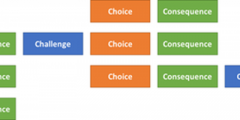
Did you know you can build branching scenarios on Moodle? Using the Lesson Activity, you can build interactive branching activities in which you can present students with a scenario, the ability to make choices, and the consequences of their decisions. Before you start building your branching scenario in Moodle, here are some things you should …
About this blog
iTeach Online Podcast
You can subscribe and listen to the iTeach Online Podcast on Spotify (or wherever you get your podcasts). New episode to re-launch the podcast, covering the upcomming digital accessibility conference 2024, available now.
 Follow the Learning Technology section on X/Twitter
Recent Comments