
Advent calendar #14: Monitoring student engagement in Moodle
December 14, 2021
Santa is rumoured to be able to keep track on what we’re all doing so he knows whether we deserve our presents. If he knew about it, he’d be delighted with the possibilities for tracking activity in Moodle. Today we are going to talk about tips and tricks to monitor student activity in Moodle. You …

Advent Calendar #13: MediaSpace captions tips and tricks
December 13, 2021
Today’s Advent calendar tips about editing MediaSpace captions are in response to an academic query – so maybe an academic wish come true? You can add multiple captions files to each video in MediaSpace, so if you need to edit it, you don’t need to replace the one that’s there, at least at the start, …
Advent Calendar #12: Getting students to annotate PowerPoint slides during a MS Teams meeting
December 12, 2021
It’s Day 12 and this tip has been written in response to a recent question via the Digital Learning Drop-in. A colleague asked if it was possible for participants during a Teams meeting to annotate PowerPoint slides. Apparently this is possible in Zoom, so we set out to find a way to do it with …

Advent calendar #11: Free practical Accessibility webinars
December 11, 2021
Thinking of New Years’ Resolutions yet? One of them has to be to improve the accessibility of your students’ learning materials. Get ready to improve your accessibility knowledge in January with these free webinars. Book them now? It is now three years since the Public Sector Bodies Accessibility Regulations required colleges and universities to “meet …
Advent Calendar #10: Groupings in Moodle
December 10, 2021
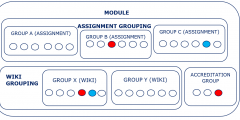
Getting together is traditional at this time of year, and getting together in groups is also used a lot in learning activities. Groups can be so useful in Moodle. They can be used for group activities such as: Assignments submitted one per group (e.g. presentation) Working together in a group e.g., in a forum or …

Advent calendar #9: Christmas Mix and Match – Memory Games in Moodle
December 9, 2021
WARNING – This blog post contains Christmas puns and jingle bells. Oh deer! This year, the Moodle upgrade gifted us with H5P. H5P offers a range of different activities you can add to your Moodle page to engage students. One of them is a Memory Game. To snow off what you can do with the …

Advent Calendar #8: Moving files between Microsoft Teams
December 8, 2021
Today’s Advent Calendar Tip is one you might not even know you need. But if you’ve ever had to move a file from one MS Team to another MS Team, you’ll know why this is handy! You might want to move a file from one Team to another because an incorrect file was added, a …

Advent Calendar: #7 Box of Broadcasts
December 7, 2021
In the Advent Calendar today we embrace the season by offering you a gift box: Box of Broadcasts (BoB). The University has an Educational Recording Agency Plus licence which allows us to use Box of Broadcasts (BoB) to record and access television and radio programmes – but with one big caveat: these can only be used …

Advent Calendar #6: Q&A: a new student engagement app from Microsoft
December 6, 2021
Microsoft have rolled out a new app, the Q&A app, which enables question and answer sessions to be held in Teams meetings. Meeting organizers and designated presenters can hold moderated or unmoderated question and answer sessions at any point during a Teams meeting. They are also able to mark best answers, filter responses, moderate and …

Advent calendar #5: Avoiding plagiarism this essay season
December 5, 2021
“Tis the season to be jolly” for some students but for others it’s the season for taking exams – or submitting coursework. Plagiarism is when a learner takes someone else’s work and tries to pass it off as their own. It might seem like a gift at first, as it might seem easier and quicker …
About this blog
iTeach Online Podcast

You can subscribe and listen to the iTeach Online Podcast on Spotify (or wherever you get your podcasts). New episode to re-launch the podcast, covering the upcomming digital accessibility conference 2024, available now.
 Follow the Learning Technology section on X/Twitter
Recent Comments