

How students can download and keep assignment feedback
February 10, 2022
We regularly get requests from students to access feedback on coursework from previous years. Reasons can include needing evidence to write an application for a further degree, or having secured a job where you have a use for the information. The University recommends that students download your feedback as soon as you get it, and …
Open Badges in Moodle
January 28, 2022
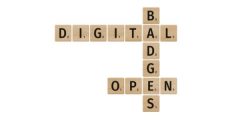
Open Badges are a commonly globally accepted form of micro-accreditation that also provide motivation for students to complete a course, part of a course, or a series of tasks. Open Badges are verifiable and shareable, and they contain detailed information about the achievement and what the recipient did to earn the badge (evidence of learning). …

Anonymous forums in Moodle
January 20, 2022
We are occasionally asked about how staff can set up anonymous forums in Moodle. At the time of writing there is no official anonymous forum in Moodle. Moodle is designed to be, like the lecture theatre or seminar room, a safe learning space where students feel comfortable speaking in a community of learners. There are …

Word counts and Turnitin
January 17, 2022
We are often asked about Turnitin Word counts. Turnitin states that they use a word counting algorithm very similar to that of Microsoft Word but not identical. Some of the main differences include: Turnitin does not count the words in footnotes and end-notes. Turnitin does not count words in text boxes, So, if your whole …
Moodle quick wins #2: Should I add a file individually or in a folder?
January 6, 2022
You can upload files to Moodle as individual File Resources or into folders. There are generally more advantages to adding the files individually. You can do very much more with individual files that is not possible with files in folders. Folders in Moodle can only contain files (not any other kind of resource or activity). …

Advent Calendar #23: Take a break and complete the Learning Technology Crossword
December 23, 2021
With Christmas very much on the horizon – just a couple of days to go! – we offer you an opportunity to grab a brew, maybe a mince pie too, and take a little break. Behind the door of today’s advent calendar, we have another H5P activity – a little puzzle in the form of …
Advent Calendar #21: The Windows emoji keyboard and Moodle
December 21, 2021
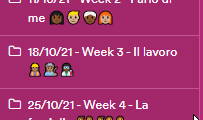
Our colleague Marilena Minoia, Assistant Professor in French and Italian, Faculty of Arts has shared a tip about using the new emoji keyboard in Windows 10. To access the keyboard: Anywhere you can enter text, press the Windows logo key along with . (period/full stop) to access the emoji keyboard. Select an emoji with the …
Advent Calendar #17: Digital Drop-in
December 17, 2021
Yesterday when talking about the help offered to staff by Learning Technologies, we mentioned the Digital Drop-In for staff. The staff Digital Drop-in Microsoft Team was created in March 2020 to replace the face-to-face Drop in, which ran in E06 in the Monica Partridge building. Here staff have been able to ask the team for …
Advent Calendar #16: Where to get help and what to do when something goes wrong
December 16, 2021
Today in the Advent Calendar we’re hoping to give you peace of mind. What do you do when it all starts to go wrong? When you can’t make the technology do the thing you want it to, or can’t even find a technology that will do what you’d like? When you don’t know if it’s …
Advent Calendar #15: Adding your profile picture to Moodle
December 15, 2021
As with all social networks and communities, having a picture associated with your profile gives you an immediate identity and oils the wheels of interaction. If you interact with a lecturer or student you didn’t know before, you have a chance of recognizing them in the corridor, coffee room, lecture hall or Teams meeting. If …
About this blog
iTeach Online Podcast
You can subscribe and listen to the iTeach Online Podcast on Spotify (or wherever you get your podcasts). New episode to re-launch the podcast, covering the upcomming digital accessibility conference 2024, available now.
 Follow the Learning Technology section on X/Twitter
Recent Comments